A menu that is yours
Add products, set prices, and update stock. The starter café menu helps you explore before setting up your own store.
 kivoby DheerajGet Android app
 Take the order. Record the payment. Save the receipt. Kivo keeps checkout on your Android device, even when the internet drops.
Android 8+ · Direct install · No account needed
Built for the place
where business happens.
The everyday flow should feel obvious. Kivo gives the busy parts of your day a little more room.
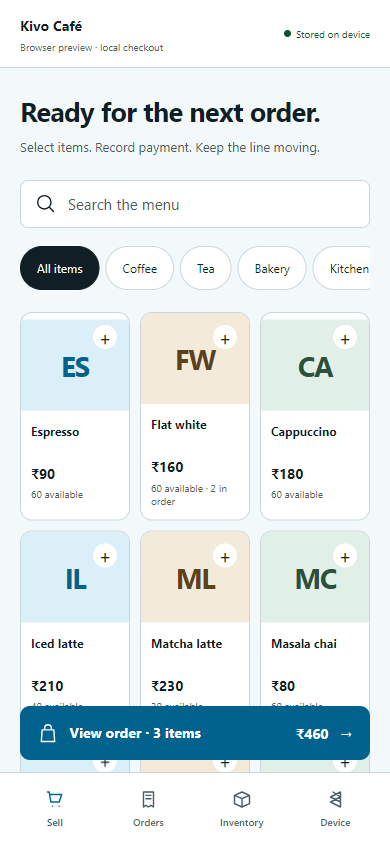
Find items by name or category. Tap to add, adjust quantities, and see the total before payment.
Choose cash, card, or UPI after collecting payment. Kivo saves a record; your payment terminal or UPI app handles the money.
Sales and receipts stay in local storage. Review orders, manage stock, and export a backup when it suits you.
Add products, set prices, and update stock. The starter café menu helps you explore before setting up your own store.
See today's sales, open past orders, and share a receipt. Original prices stay on past sales when the menu changes.
Export your menu and receipts as JSON. Review a restore before applying it. Connected stores preserve existing signed receipt history.
Android phones can share signed receipts, menu changes, and stock adjustments over paired Bluetooth. Each phone keeps its own SQLite database and works while disconnected.
After first setup, only missing changes transfer. Saved changes push immediately through connected phones. Connected phones can relay changes and catch up after a dropout. Keep Kivo open on each phone. Physical radio reliability and the full BLE mesh roadmap still need validation.
Read connection setupNo. The Android app bundles its interface and saves sales in SQLite on your device. The browser preview uses browser storage; those records are separate from the Android app.
Download the APK on your Android device, open it, and allow installs from your browser or file manager if Android asks. Requires Android 8 or newer. This is a signed development preview, distributed directly rather than through Google Play.
No. Collect the payment using your existing method, then record it in Kivo. The app does not connect to a payment processor, validate settlement, or issue a statutory tax invoice.
Yes. Pair Android phones, create or join the same store from Device, and connect. Signed receipt and inventory changes catch up through connected phones; current carts stay local. This preview uses Bluetooth Classic, with emulator transport tests. The complete BLE mesh roadmap and physical device gates remain unfinished.
Export your store data from Device → Export backup. Uninstalling the app removes local data. Backups include receipts and should be kept private. Android automatic backup is disabled so you control exports.
Start with the café menu. Make it your store.